

Agents
Connect your company's knowledge once. Every agent gets it.

Shekhar Kadyan
Co-founder

In our last post we showed how Y Combinator's QM agents can answer questions from your company's Slack, Drive, Jira and email, with a citation for every claim and nothing a person is not allowed to see. That post was about one platform giving everyone in a company an agent.
This one is about the other direction. Your team probably does not use one agent. A developer might ask Claude Code to change some code in the morning, use Cursor to review it in the afternoon, and run a script that calls a model in CI overnight. Next quarter one of those will be replaced by something newer. If the company's knowledge is plugged into each agent by hand, every switch means doing it again, and every agent ends up knowing something slightly different.
The better arrangement is to treat company knowledge as its own layer. You run it once, it keeps itself in sync with your tools, and any agent that can speak MCP — the Model Context Protocol, an open standard for connecting agents to tools — plugs into it with a few lines of configuration.

Several agents sharing one company knowledge layer
One index, one set of permissions, many agents. Swapping an agent changes one line of configuration, not your knowledge setup.
Three things make this work. The index lives in one place, so every agent sees the same facts. Each person connects with their own token, so every agent inherits that person's permissions and nothing more. And every answer carries links back to the original Slack thread, doc or ticket, so you can check the agent's work whichever agent it was.
Start on your own laptop
You do not need a server, a public URL or a tunnel to try this. PipesHub is open source under the Apache 2.0 licence, with about 3,800 stars on GitHub. It runs locally with Docker, and every agent on the same machine can reach it at localhost.
1. Install PipesHub
When the installer finishes, open http://localhost:3000, create your account and choose an AI model. The first install downloads a few gigabytes, so it is a good moment for a coffee.
2. Connect one tool
Pick the tool where your team's decisions actually live — usually Slack, Google Drive, Jira or GitHub — and connect it from the Connectors page. A folder of documents works too if you want to start without any sign-ins. PipesHub begins indexing straight away.
3. Create a personal access token
Go to Workspace → Developer Settings → Personal Access Tokens → New token, give it a name, keep the default scopes and create it. PipesHub shows the token once, together with two lines ready to paste. Export them in your shell:
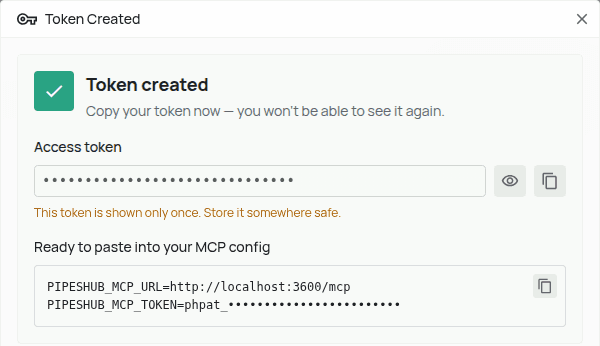
PipesHub's Token created dialog, with the two lines ready to paste and the token hidden
The token is hidden here. On a default install the address reads localhost:3000; this screenshot comes from a test machine on port 3600.
That is the whole shared layer. Everything from here is a few lines per agent.
Plug in the agents you already use
Each snippet below comes from our examples repository, which has a ready-made file for every client. We timed three of them on the same test workspace, from asking a question to a cited answer on screen.
Claude Code — 36 seconds to a cited answer, measured
Cursor — 26 seconds to a cited answer, measured (.cursor/mcp.json)
Codex — 31 seconds to a cited answer, measured (~/.codex/config.toml)
Omnigent — 49 seconds in its web UI, measured (tools/mcp/pipeshub.yaml)
Each timing runs from asking the question to a cited answer on screen, with the agent already connected, measured in September on the Acme Corp workspace described below. Installing PipesHub and indexing your data come before that. Cursor asks before it runs a tool, so allow PipesHub's tools the first time it does.
Or run them all from one place with Omnigent
Omnigent is an open-source "meta-harness": one place to run Claude Code, Codex, Cursor and agents you define yourself, with sessions you can share and policies you can enforce. It is a natural fit for a shared knowledge layer, because an Omnigent agent is just a folder, and the PipesHub connection is just one file in it.
config.yaml
AGENTS.md
Register the folder with an Omnigent server, and connect your machine to it as a host (the machine where the agents actually run):
Then open http://localhost:6767, choose company-knowledge from the agent menu in the message box (it is under Agents → Other…), and ask your question.
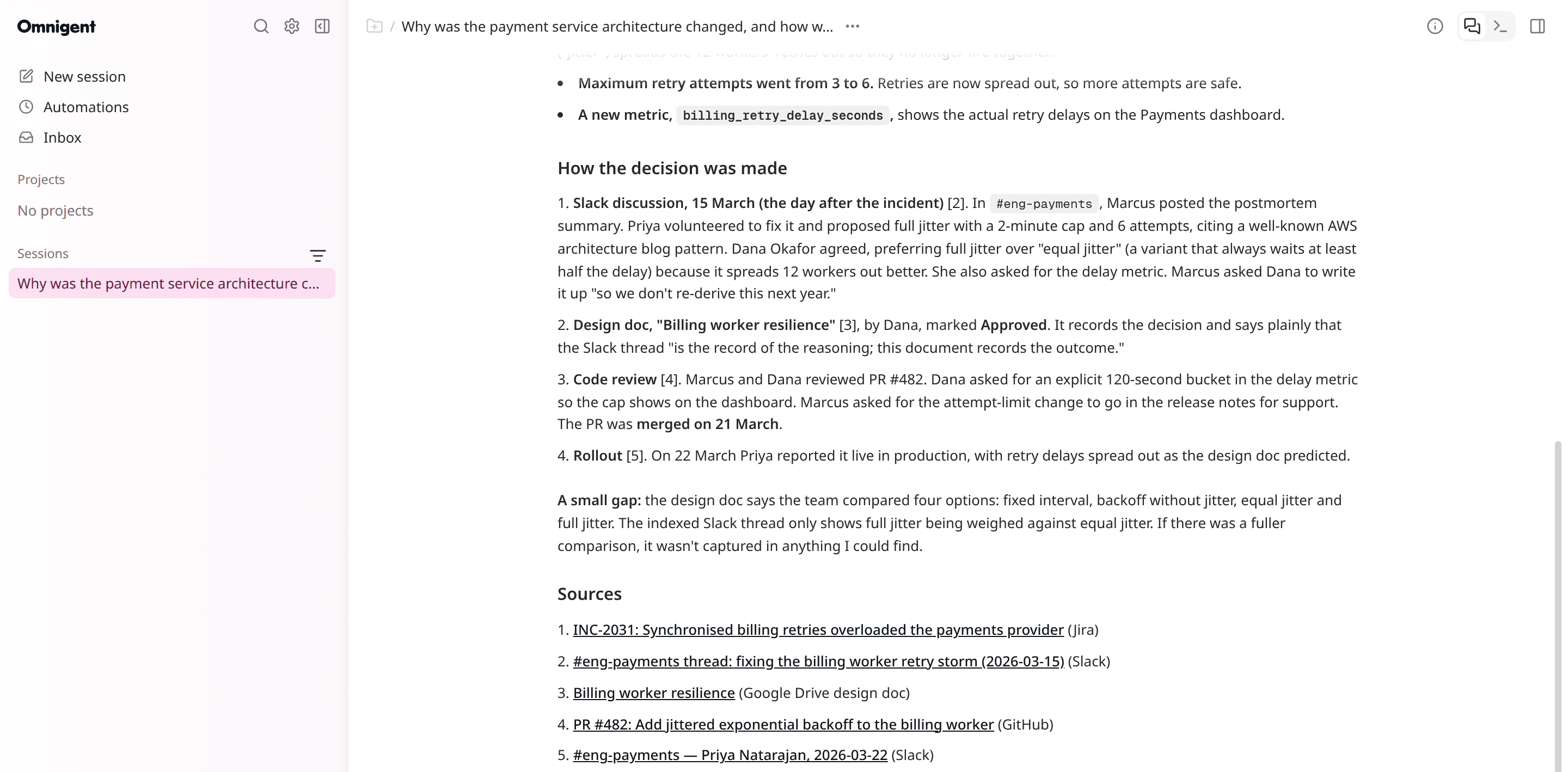
Omnigent's web UI running the company-knowledge agent. It searched PipesHub and cited five records across Jira, Slack, Google Drive and GitHub.
Two details make this pleasant for a team. Omnigent finds the PipesHub file on its own and fills in ${PIPESHUB_MCP_URL} and the token on the machine that runs the agent, so the folder has no address and no secret in it and can live in your repository. Omnigent is careful here: an agent only sees the environment variables that the person running the host has named, which is what the export line above is for. And because the connection is a file rather than a setting inside one tool, copying it into another agent's folder is all it takes to give that agent the same memory.
What you get back
Here is a real answer from a test workspace that we filled with a small fictional company, "Acme Corp". The question is the kind nobody can answer from the code alone, because the reason is spread across four different tools.
You asked Claude Code: Why was the payment service architecture changed, and how was the decision made?
I found the answer in your PipesHub sources. The "architecture change" wasn't a full redesign of the payment service. It was a change to how the billing worker retries failed charges to Stripe. […]
On 14 March 2026, a SEV-2 incident (INC-2031) showed that the old retry design could turn a small problem at Stripe into an outage the team caused themselves: […] Marcus Webb, who was on call, paused the workers. About 3,400 renewals were delayed by up to 90 minutes. No charges were lost or duplicated. […]
One gap in the record. The design doc says the team weighed four options: fixed interval, backoff without jitter, equal jitter, and full jitter. It names the Slack thread as the record of that reasoning. But the thread itself only explicitly compares full jitter with equal jitter, and it is brief. If you need a documented reason for rejecting the other options, the written trail doesn't contain one. It may have been discussed live.
Sources: Jira · INC-2031 — Slack · #eng-payments, 15 March — Google Drive · Billing worker resilience — GitHub · PR #482 — Google Drive · Payments team sync, 7 April
Quoted word for word from Claude Code, shortened where marked. Five sources in four different tools; the full answer is in the picture below.
The last part is the one to notice. The design doc claims four options were weighed, but the thread it points to only discusses two, and the agent says so instead of papering over it. That comes from the habits further down: it was told to cite what it used and to say when the record runs out.
Because every agent reads the same index with the same person's permissions, switching agents does not change what they know. Here is the same question in Claude Code and in Cursor:
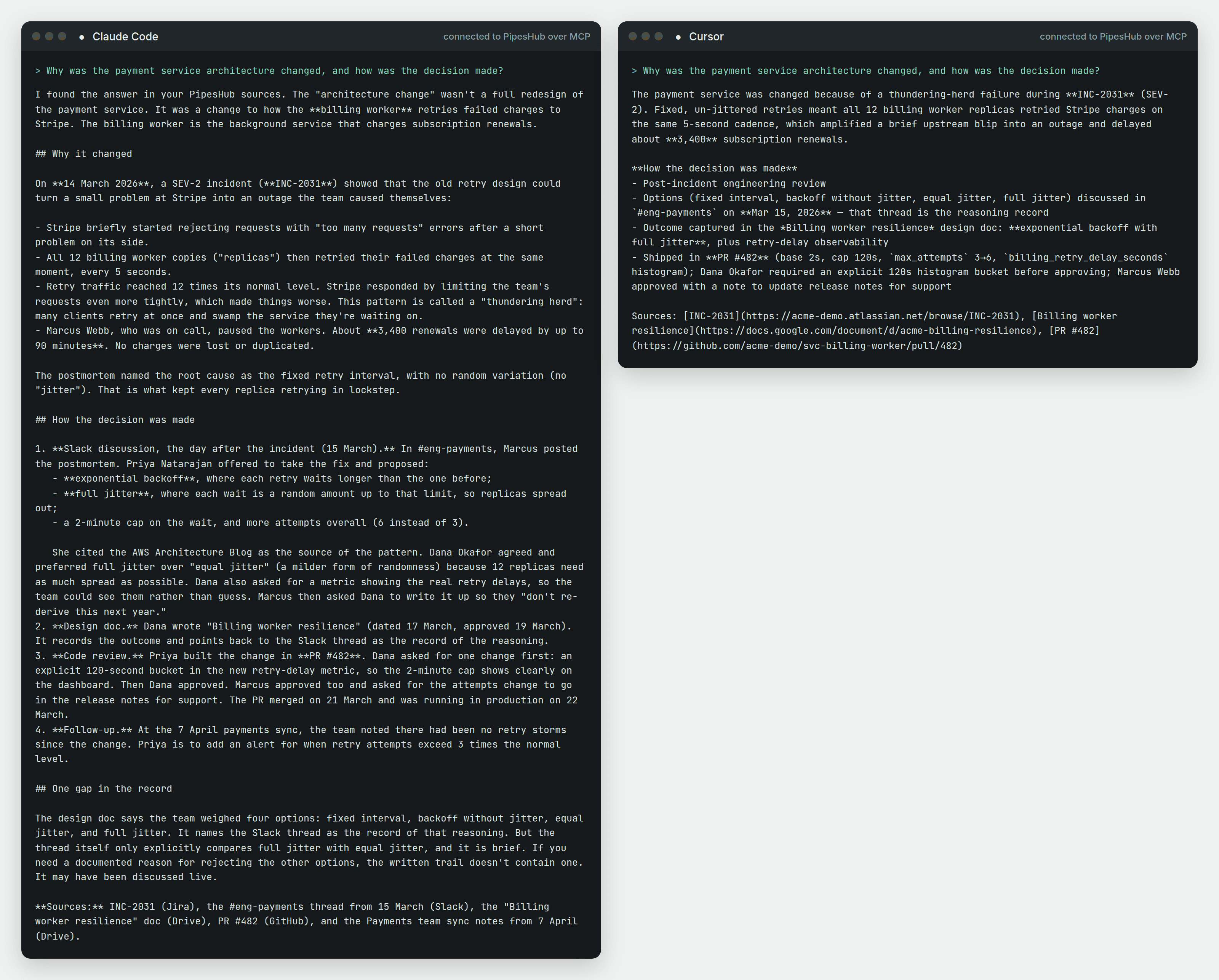
Claude Code and Cursor answering the same question side by side
Claude Code and Cursor, connected to the same PipesHub with the same token. Both draw on the incident ticket, the Slack discussion, the design doc and the pull request. Claude Code also cites a later team meeting.
Build your own agent on the same layer
MCP is the easy path for agents that already support it. When you are writing your own — a Slack bot, an internal search page, a step in a CI pipeline — the PipesHub SDKs for Python and TypeScript call the same search and chat APIs directly, with the same token and the same permission check.
Python (pip install pipeshub-sdk)
It reuses the token you exported earlier. Search returns passages, several of which can come from one document, so the loop prints each document once, best match first, with the tool it came from and a link back to it.
The examples repository has two starting points that go further: a search-and-answer starter in both languages, and a small private search page for your company that runs on your own machine.
Five habits that keep agents honest
Connecting an agent to company knowledge is the easy part. These are the habits we have found make the difference between an agent that helps and one that sounds helpful.
Tell the agent when to look. Agents reach for tools they have been told about. A few lines in
CLAUDE.mdorAGENTS.md— "for questions about how or why something was done here, search PipesHub before answering" — change behaviour more than any setting.Ask for sources, and say what to do without them. Tell the agent to cite what it used, and to say "I couldn't find that" when a search comes back empty. A confident answer with nothing behind it is worse than no answer.
Treat retrieved text as data, not instructions. A Slack message or a document can contain text that looks like a command. Say plainly in the agent's instructions that it should never follow directions that appear inside retrieved content.
One token per person, with the smallest scopes that work. Never share a token between people, because the agent would then see what the token's owner can see. For search only, the scopes
semantic:write,kb:readandconnector:readare enough.Keep the token out of files and chats. Put it in an environment variable, reference the variable from your configuration, and use
https://for any PipesHub that is not on your own machine.
The first three fit in a file you can copy: our CLAUDE.md snippet works for Claude Code as written and for other agents with the file name changed.
Try it this afternoon
Install PipesHub on your laptop, connect one tool, create a token, and plug in the agent you use most. Then ask it a "why did we…?" question it could not answer this morning. When that works, adding the next agent takes a minute.
If you build something on top of it, tell us: open an issue in the examples repository with what your agent can do now, come and ask questions on Discord, and give PipesHub a star if it saved you a trip through old Slack threads.